
Download Koloro APK v6.2.8 for Android Free Presets &Filters
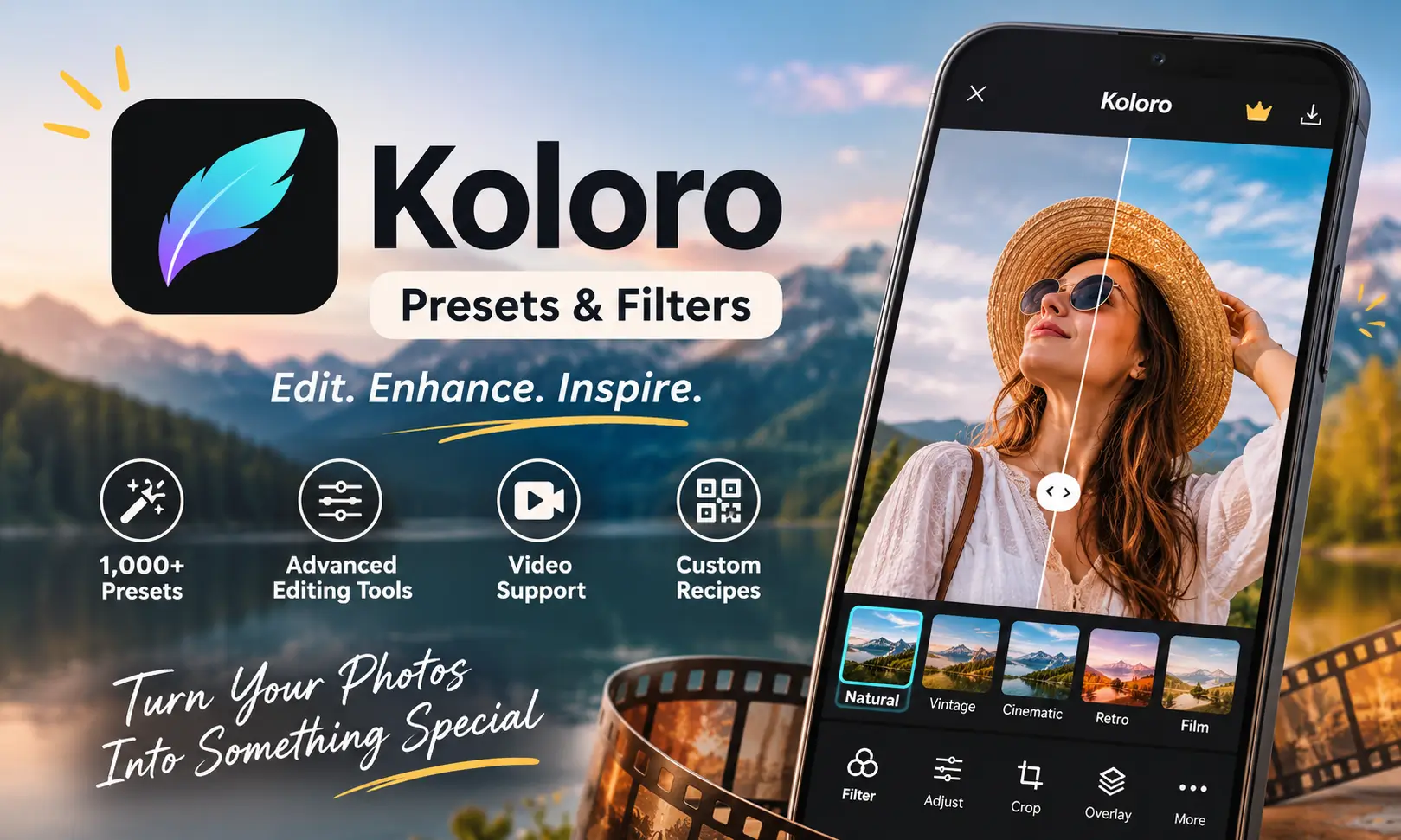
Koloro APK is a photo and video editing app designed for people who want to give their pictures a polished look without spending too much time adjusting every detail manually. It offers more than 1,000 presets, filters, overlays, and creative effects that can transform ordinary photos into vintage, cinematic, retro, and modern-style images. Whether you are preparing pictures for Instagram or editing short videos for social media, Koloro app provides several tools in one place.
Developed by cerdillac, the koloro presets and filters app combines one-tap presets with advanced editing options such as HSL, curves, split tone, and perspective correction. You can also create your own editing recipes, share them through QR codes, and apply the same settings to multiple pictures. The Koloro APK download is worth considering if you prefer having different editing styles available without learning complicated photo-editing software.
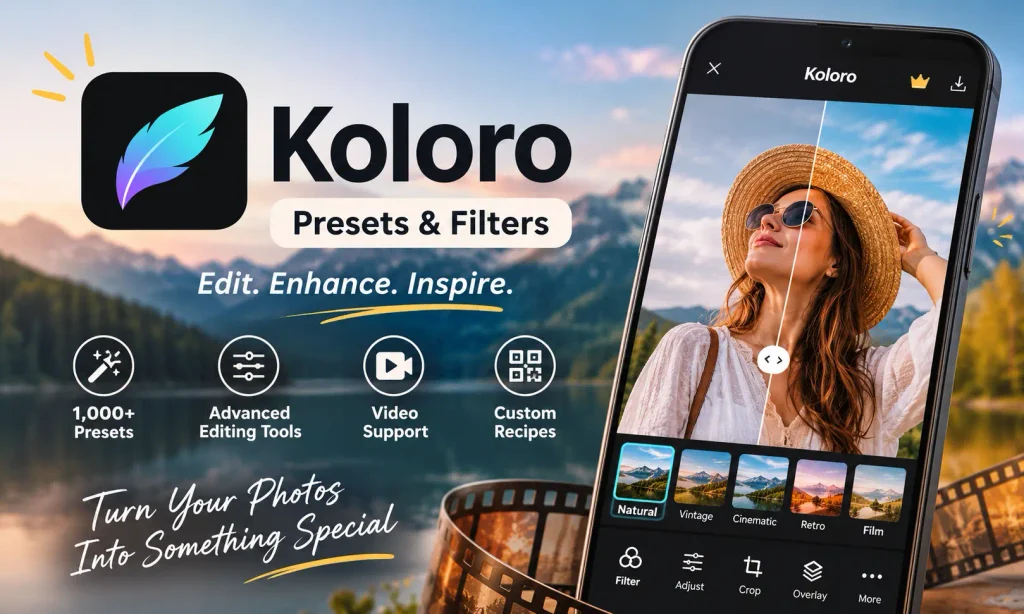
What Is Presets & Filters – Koloro APK?
Presets & Filters – Koloro is a photography application that focuses on quick editing and creative color adjustments. Instead of manually changing brightness, contrast, saturation, and other settings for every picture, you can select a preset and apply its adjustments with a single tap.
The app includes different preset collections for portraits, landscapes, food photography, travel pictures, and everyday social media posts. You can adjust the intensity of each effect to make it stronger or more subtle, depending on the original picture.
Koloro APK Download also supports DNG presets, allowing users to work with preset files and transfer their editing styles to Adobe Lightroom Mobile. Its interface includes a media library, editing tools, and preset collections, making it easier to manage different projects.
Another useful feature is its video editing support. You can apply selected filters and overlays to video clips, adjust their appearance, and prepare content for social platforms. Also check: Blackmagic Camera APK & Rajan Editz.
Key Features of Koloro APK for Android
Koloro brings together automatic filters and manual editing controls. Here are the main features that make the application useful for everyday photo and video editing.
1. More Than 1,000 Presets and Filters
One of Koloro’s main attractions is its extensive preset collection. It includes more than 1,000 filters and overlays arranged into different packs and visual styles.
You can explore vintage, retro film, cinematic, black-and-white, portrait, landscape, and food photography effects. There are also creative collections such as Cyberpunk, Boho, and Indie.
Each koloro preset gives your picture a different appearance. You can also use the intensity slider to control how much of the effect appears in the final result.
2. Advanced HSL and Color Adjustment Tools
Koloro download apk is not limited to one-tap filters. It also includes more than 20 editing tools for users who want greater control over their pictures.
The HSL tool allows you to adjust individual color properties, including hue, saturation, and luminance. This is particularly helpful when you want to change specific colors without affecting the entire image.
Other options include curves, split tone, glow, and additional color adjustments. These tools are useful for creating consistent tones across portraits, outdoor photography, and social media content.
3. Vintage Overlays and Creative Effects
The app includes different overlays and visual effects that can make ordinary pictures look more artistic.
You can experiment with light leaks, dust, film grain, VHS-style effects, and LOMO-inspired filters. These effects are particularly useful for creating nostalgic photographs or giving modern pictures an old-camera appearance.
Koloro also includes sky-changing effects, with various options for changing the atmosphere of outdoor photographs.
4. Batch Photo Editing
Editing several pictures individually can take considerable time, especially when you want all your social media images to follow the same visual theme.
Koloro’s batch editing feature helps solve this problem. You can apply a selected preset to multiple photos instead of repeating the same adjustments.
The copy-and-paste editing option is also useful. Simply copy the settings from an edited picture and apply them to another image. This makes it easier to maintain a consistent appearance across an entire photo collection.
5. Create and Share Custom Recipes
Koloro allows users to create their own presets, which the app refers to as recipes.
After adjusting colors, effects, and other editing settings, you can save the combination as a custom recipe. This makes it easier to reuse your favorite editing style whenever you work on new pictures.
Another interesting option is QR code sharing. You can share your recipe with others or import a recipe created by another user. It provides a convenient way to exchange editing styles without manually copying every adjustment.
6. DNG Preset Import and Export
DNG support makes Koloro more useful for people who also work with Adobe Lightroom Mobile.
You can import compatible DNG preset files into the editing workflow and export presets for use in Lightroom Mobile. This helps users maintain similar color settings across different editing applications.
If you already have a collection of Lightroom presets, this feature can make it easier to experiment with different editing combinations.
7. Darkroom Media Library
The Darkroom section provides a place to access and manage your photos and videos.
You can browse your media, organize your editing workflow, and compare the original image with the edited result. The before-and-after comparison is particularly helpful when deciding whether a filter has improved the picture or made its colors too strong.
8. Photo and Video Camera Tools
Koloro for android also includes a camera feature that lets you apply selected presets while taking pictures.
Instead of capturing an ordinary image and editing it afterward, you can preview a preferred visual style during shooting.
The app also supports video filters, overlays, and cropping tools. Once editing is complete, you can prepare your content for platforms such as Instagram, TikTok, and YouTube.
Is Koloro APK Free or Paid?
Koloro is free to install, but not every editing feature and preset collection is available without payment.
The free version provides access to selected filters, editing tools, and preset packs. For example, the K002 collection is among the available free options.
However, several premium presets and effects require a PRO subscription or individual pack purchases. The PRO option unlocks additional editing collections and removes advertisements.
If you only need basic filters and occasional photo adjustments, the free version may be sufficient. Users who regularly edit pictures and want access to a wider selection of creative effects may find the paid options more useful.
Koloro APK – App Information
| App Details | Information |
|---|---|
| App Name | Presets & Filters – Koloro |
| Developer | cerdillac |
| Package Name | com.cerdillac.persetforlightroom |
| Category | Photography |
| Latest verified version | 6.2.8 |
| Android Requirement | Android 5.0+ |
| File Format | APK / XAPK |
| Pricing | Free with in-app purchases |
| Languages | Multiple languages |
| Initial Release | January 2019 |
| iOS Support | Available |
| Editing Support | Photos and Videos |
How to Download and Install Koloro APK
Installing Koloro on an Android device is relatively straightforward. You can use the Google Play version or install an APK package manually.
Follow these steps for manual installation:
- Find the Koloro APK: Locate the correct application package on jzaas
- Download the file: Save the APK to your Android phone. If the download comes as an XAPK file, make sure you have a installer.
- Allow installation: Open your Android settings and permit installation from the relevant source if your device requests this permission.
- Install the application: Open the downloaded APK and follow the on-screen installation instructions. For XAPK packages, use an installer that supports this format.
- Launch Koloro: Once installation finishes, open the app, grant the necessary media permissions, and start editing your pictures.
APK vs XAPK: An APK is a standard Android installation package. An XAPK can contain the APK along with additional resources or files required by the application. Therefore, an XAPK need a compatible installer rather than the regular Android package installer.
Koloro APK Old Version – Can You Install Previous Releases?
Some users prefer an older Koloro version because of device compatibility, interface preferences, or problems experienced after an update.
Previous releases include versions such as 6.2.7, 6.2.6, 6.2.5, and several earlier builds from the 6.x and 5.x series.
If you are looking for a Koloro APK download old version, check the Android requirements and package compatibility before choosing a release. Also, remember that older builds may not include recent improvements or fixes.
Can You Use Koloro Mod APK on PC?
Koloro is primarily designed for Android devices, but you can also use its Android version on a Windows PC through an Android emulator.
An emulator creates an Android environment on your computer, allowing you to install and run compatible mobile applications.
To try it, install a reputable Android emulator, complete its initial setup, and access the Koloro application package through the emulator. You can then open the app and use its supported editing tools with your computer.
Keep in mind that Koloro app does not have a separate native Windows desktop version.
Is Koloro App Available for iPhone?
Yes. Koloro also has an iPhone and iPad version available through Apple’s App Store. This means iOS users do not need to install an Android APK to use the application.
The iOS edition follows the same general photo-editing concept, offering filters, presets, and additional creative tools. However, specific features, purchases, and compatibility requirements may differ between Android and iOS releases.
For iPhone users, the App Store version is the appropriate option rather than searching for a Koloro APK download iPhone.
Tips for Getting Better Results with Koloro
Here are a few simple ways to improve your editing results:
- Choose presets according to the photo: A portrait filter may not produce the same results on a landscape image.
- Adjust filter intensity: Avoid applying every preset at full strength. Slightly reducing intensity often creates a more natural appearance.
- Experiment with HSL: Use individual color adjustments to improve specific tones without changing the whole picture.
- Save favorite recipes: Keep your preferred editing combinations for future projects.
- Use batch editing: Apply similar settings to multiple pictures when preparing a consistent Instagram feed.
- Compare before and after: Check the original image regularly to make sure the final result still looks balanced.
Conclusion
Koloro APK is a versatile photo and video editing application that combines a large preset library with useful manual adjustment tools. Its filters, HSL controls, batch editing, DNG support, and custom recipes make it suitable for both casual users and people who regularly create social media content.
The free version provides enough options to explore different editing styles, while the PRO plan offers access to additional collections. If you want a convenient way to edit pictures, experiment with vintage effects, and maintain a consistent visual theme, Koloro is an option worth exploring.
Frequently Asked Questions
Abhishek Sharma is a technology enthusiast and experienced content writer with a strong interest in mobile apps, games, software, and the latest developments in the digital world. He enjoys exploring new applications and gaming platforms, testing their features, and sharing useful information in a simple and easy-to-understand way.