
Cricket All Stars APK – Download Latest v4.01 Android/iOS
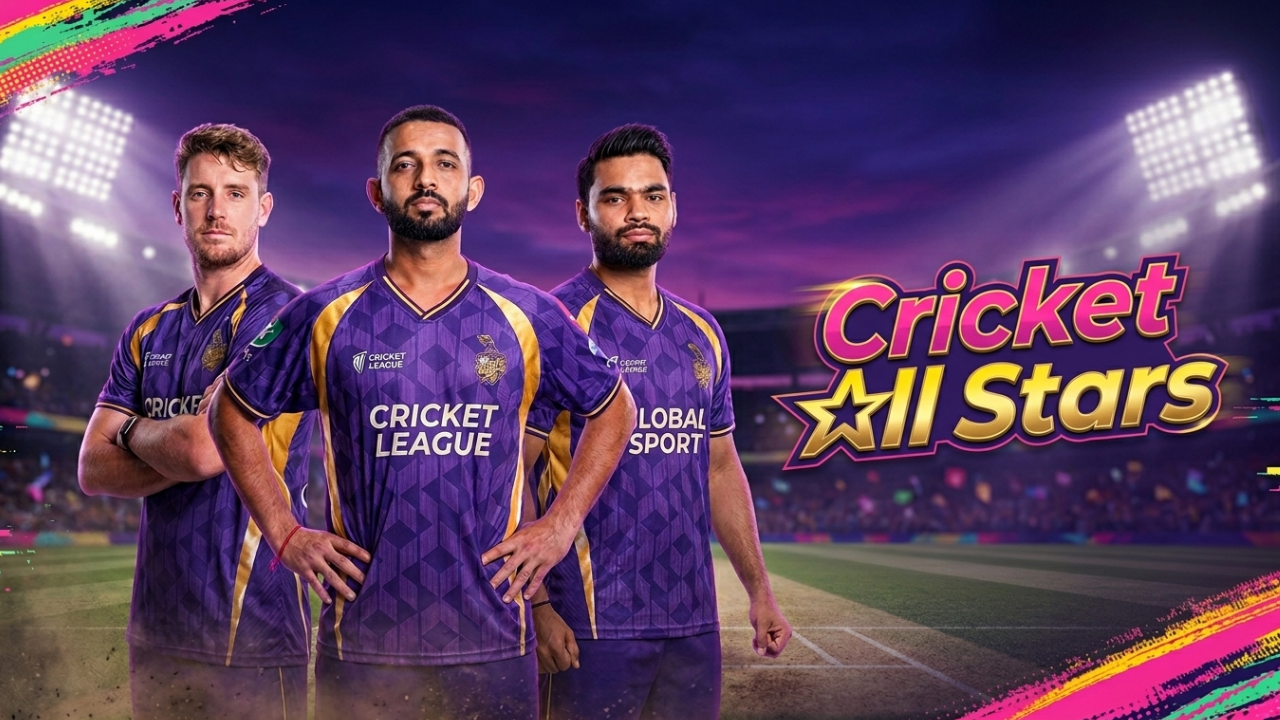
Most mobile cricket games either look like they’re stuck in 2014 or bury the actual gameplay under five paywalls. Cricket All Stars goes a different direction officially licensed IPL franchises, console-grade visuals, and a free-to-play structure that doesn’t shake you down every over.
What Is Cricket All Stars?
Cricket All Stars is a mobile cricket simulator from Krafton the South Korean studio behind PUBG and Battlegrounds Mobile India. It’s their shot at the space Real Cricket and World Cricket Championship have run for years, and the differentiator is licensing: real IPL franchises, real player faces, real jerseys.
Current version is 1.3.5. Download size sits around 356 MB, and you’ll need Android 6.0 or newer. One catch worth knowing before you bother Krafton locks the first install to the Play Store. You can update with APKs after that, but the initial setup has to come through official channels or the game refuses to launch.
Who’s it for? Cricket fans who want the broadcast-TV feel on a phone. Who should look elsewhere? Anyone after a five-minute arcade fix or a deep manager sim this lands in the middle and doesn’t pretend otherwise.
Key Features
Officially Licensed IPL Teams
This is the headline. Kolkata Knight Riders, Lucknow Super Giants, Gujarat Titans — real squads, real jerseys, real player likenesses. Anyone who’s slogged through years of “Indian Capitals” and “Mumbai Warriors” placeholder branding in other cricket apps will get why this matters.
Match Modes
Three options sit on the front screen. Quick Match is a one-off game with whatever overs count you pick. The Indian Pro T20 League runs a full competitive season with matchdays. A 20-Over World Cup mode handles the tournament itch. Before any match you get sliders for overs, AI difficulty, and control type — nothing locked behind progression.
The Visuals
Krafton’s console DNA shows up here. The game targets 60 FPS, runs broadcast-style camera angles between deliveries, and changes pitch appearance based on time of day. Sunset matches look different from floodlit ones. Slow-mo wicket replays. Crowd cutaways. It’s the most TV-like cricket presentation we’ve seen on Android.
Touch Controls and Guided Feedback
Batting works on swipe direction and timing taps. Bowling uses a line-and-length slider. Fielding is mostly automated. The interesting addition is a coaching layer that pops up after each ball late on the shot, wrong line for the field, mistimed footwork. Cricket veterans can switch the prompts off; new players will want them on for the first hour.
Stadium Customization, Squad Building, Champion Pass
A cluster of smaller systems worth grouping together. Stadium customization lets you swap wickets, flags, fireworks, lasers, and weather conditions for home matches. Squad building runs on match rewards and a basic transfer pool light on depth, fine for casual players. The Champion Pass is the now-standard battle pass: free track, paid track, cosmetic rewards. Nothing in it tips the gameplay balance.
Pros and Cons
What’s good:
- Real IPL licensing rare in this category, and the presentation earns it
- 60 FPS gameplay holds up on mid-to-high-end phones
- Broadcast camera work makes matches feel cinematic, not phoned-in
- Tap controls click within 15 minutes for newcomers
- Free-to-play structure that isn’t aggressive about it
What’s not:
- 356 MB install balloons past 600 MB within a week
- Squad and transfer management lacks depth for managerial-style players
- AI fielders drop catches you’d never miss on lower difficulty saw a sitter dropped twice in one over
- Mandatory Play Store first install is a real pain for region-locked users
- Older budget phones will sweat
Installing the APK Without Getting Burned
Get the first install from the Play Store. Krafton’s license check sees through APK-first attempts and refuses to launch. Once you’re set up, updates through APK or XAPK files work fine from trusted mirrors. Also try: NetMiner APK and YT1s APK.
Stick to known sources. Cricket games attract counterfeit APKs loaded with adware verify the package name reads com.krafton.cricketallstars before installing anything. Toggle “Install unknown apps” on for just the file manager or browser you’re using, then switch it off after the install finishes.
Go with XAPK over APK when you have the option. XAPK files bundle the OBB data with the install, which avoids the “downloading additional resources” loop that sometimes stalls APK-only installs at 99%.
Bottom Line
After ten days, Cricket All Stars is the most polished mobile cricket sim we’ve put through proper testing this year. The IPL licensing genuinely matters. The 60 FPS broadcast presentation genuinely matters. Squad depth and install bloat genuinely hurt.
Get it if you want a TV-style cricket experience and own a phone built in the last three years. Skip it if you want quick arcade fun or a deep management layer. We’re keeping it installed.

Josh is a technology writer and app enthusiast who specializes in Android apps, mobile games, APK downloads, and digital tools. He enjoys testing new applications, exploring game features, and creating easy-to-follow guides that help readers install, use, and troubleshoot apps with confidence.