
KwaiCut Video Editor App | Best Free CapCut Alternative
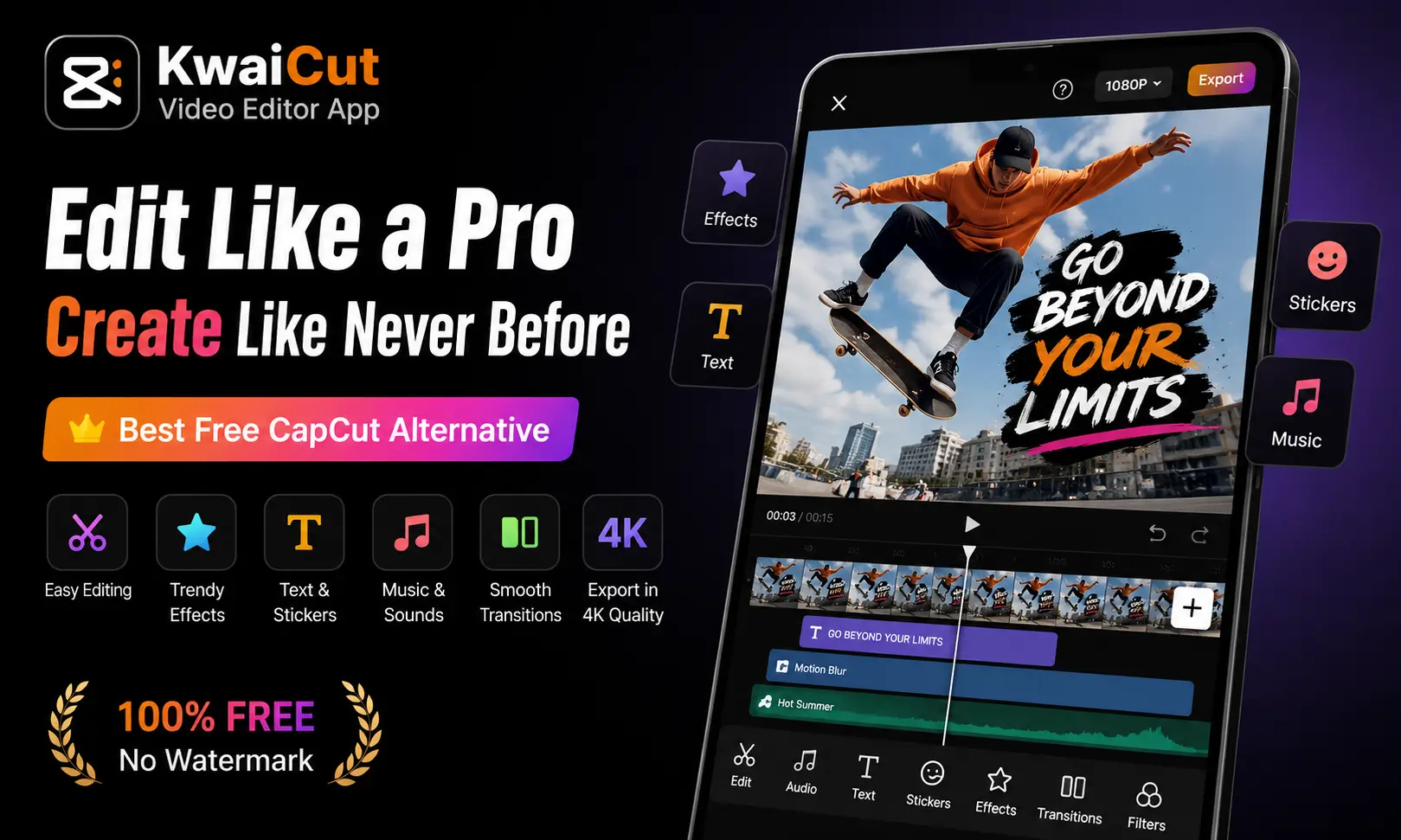
Short-form video now drives more marketing ROI than any other content format. HubSpot’s 2026 State of Marketing Report found that short-form video tops the list at 49%, beating long-form video and live streaming combined. That boom has fueled demand for editing apps that don’t cost a dime. The KwaiCut Video Editor app has stepped into that gap. It offers trimming, filters, subtitles, and effects without the paywalls found in many rival apps. This guide breaks down what the app does, how it compares to competitors, and whether it deserves a spot on your phone.
What Is the KwaiCut Video Editor App?
KwaiCut is a mobile video editor built by Kwai Technology Limited, the company behind the Kwai short-video platform. It’s a free editor providing fundamental tools for trimming, combining, and modifying video content. The app runs on both Android and iOS, and it targets creators who make content for platforms like TikTok, Instagram Reels, and YouTube Shorts.
Unlike editors that lock premium tools behind a subscription, KwaiCut markets itself as completely free, positioning its editing capabilities as accessible without added cost to the user. That pitch has resonated. App store reviewers frequently mention switching over from paid competitors purely because the effects and transitions aren’t gated.
The interface leans toward simplicity. Layers stay visible instead of collapsing, which speeds up navigation during longer edits. That small design choice matters more than it sounds — fumbling through hidden menus is one of the biggest complaints creators have about mobile editors. Also check: Mast App
Key Features That Make KwaiCut Stand Out
Core Editing Tools
The editing basics cover everything a short-form creator needs day to day. The app supports precise video segmentation, cropping, splicing, rewind, and speed adjustment, plus exporting in multiple ultra-high-definition resolutions compatible with various platforms.
Speed control goes beyond simple fast-forward or slow-motion. Users get regular, curve, and custom speed adjustments, which add dynamic pacing effects to a clip. That curve option is worth highlighting most free apps only offer flat speed changes, not gradual ramps.
Audio and Sound Design
Sound quality often gets ignored in budget editors, but KwaiCut treats it as a priority. The app includes professional audio noise reduction for clearer vocal performance, along with a multi-style sound effect library for adding music. Noise reduction runs in multiple modes, and users can extract audio directly from local video files.
Visual Effects, Stickers, and Filters
This is where KwaiCut competes hardest with bigger names. The app offers advanced visual effects for cinematic results, backed by a large library of movie-grade filters with adjustable intensity. Filters can be applied at variable intensity levels, allowing subtle color grading or dramatic stylistic transformations.
Stickers work on two tracks. Static stickers stay fixed during playback, while dynamic stickers animate over time, and users can import their own graphics or downloaded sticker packs. There’s also a dedicated content hub. A material center offers pre-made visual assets, backgrounds, overlays, transitions, and decorative elements, that creators can drop straight into a project.
AI-Powered Extras
KwaiCut isn’t just manual trimming and stickers. It includes picture-in-picture support with multiple blending modes, along with an AI-powered chroma key tool for extracting subjects, faces, backgrounds, or skies. That chroma key feature typically requires a green screen setup in higher-end software. Having it built into a free mobile app is a genuine differentiator.
Beauty tools round things out. The app offers smart beauty enhancements or custom beautification settings, along with various background modes and designed background images.
KwaiCut Video Editor App vs. Other Free Editors
Here’s how KwaiCut stacks up against two well-known alternatives in the free mobile editing space.
| Feature | KwaiCut Video Editor App | CapCut | InShot |
|---|---|---|---|
| Price model | Free, no watermark on export | Free tier + paid Pro features | Free tier with watermark unless upgraded |
| AI chroma key | Yes | Limited/paid tier | No |
| Noise reduction | Multiple modes, built-in | Basic | Limited |
| Sticker import | Custom import supported | Limited custom import | Basic library only |
| Speed curve editing | Regular, curve, and custom | Yes | Basic speed only |
| Platform availability | Android, iOS | Android, iOS, desktop | Android, iOS |
| Material/template center | Yes, regularly updated | Yes, larger library | Smaller template set |
CapCut still wins on raw template volume and desktop support. But for creators who just want strong editing tools without upgrade prompts, KwaiCut holds its own — and several App Store reviewers directly compare the two, noting KwaiCut includes more free effects.
Why Short-Form Video Editing Apps Are Booming in 2026
The rise of apps like KwaiCut isn’t happening in a vacuum. Marketers have shifted budgets hard toward bite-sized content. According to HubSpot’s 2026 State of Marketing Report, short-form video, long-form video, and live-streaming video are the three highest-ROI content formats, with short-form leading at 49%. Video overall has become close to mandatory for brands. Wyzowl’s 2026 research found that 91% of businesses now use video as a marketing tool, and 93% consider it a core part of their strategy.
That surge in demand puts pressure on creators to publish more content, faster. Mobile-first editors like KwaiCut fit that pace better than desktop software. There’s no export-transfer-import cycle. You shoot, edit, and post from one device. Also use: Alight Motion APK .
How to Get Started With the KwaiCut Video Editor App
Setting up KwaiCut takes just a few steps:
- Download the app from Google Play or the Apple App Store.
- Grant camera, microphone, and storage permissions when prompted.
- Import an existing clip or record new footage inside the app.
- Trim, split, or crop the footage using the timeline tools.
- Add filters, transitions, and stickers from the material center.
- Insert subtitles manually or apply one of the preset subtitle styles.
- Adjust audio with noise reduction or background music.
- Preview the edit, then export in your chosen resolution.
Keep early projects short. Under 60 seconds is still the sweet spot for most platforms, and it also keeps rendering times low on lower-end phones.
Pros and Cons of KwaiCut
Pros:
- No cost for most editing tools, including effects and transitions
- Exports without a watermark
- Runs smoothly on low-end devices, based on multiple user reviews
- AI chroma key and picture-in-picture are rare in free apps
- Regularly updated material center with trending assets
Cons:
- Limited English-language text templates, a recurring complaint in reviews
- No desktop version currently available
- Smaller overall template library compared to CapCut
- Occasional freezing reported during longer export sessions
Who Should Use KwaiCut?
KwaiCut fits creators who post frequently and don’t want subscription fatigue. Beginners benefit from the simple layout. Small business owners making product demos or behind-the-scenes clips get professional-looking output without hiring an editor. Anyone already active on Kwai will find natural integration, since the app comes from the same developer.
Professional editors producing long-form or multi-camera projects will likely hit the app’s ceiling faster. For that kind of work, desktop tools with more granular color grading and multi-track audio mixing still make more sense.
Conclusion
Short-form video isn’t slowing down, and neither is the demand for tools that make editing painless. The KwaiCut Video Editor app delivers a genuinely free, capable option for creators who need trimming, filters, subtitles, and AI-driven effects without a subscription wall. It won’t replace desktop software for complex, multi-layered productions, but for daily social content, it holds up well against paid alternatives. If you’re producing short clips for TikTok, Reels, or Shorts and want fewer paywalls slowing you down, the KwaiCut video editor app is worth installing today.

Josh is a technology writer and app enthusiast who specializes in Android apps, mobile games, APK downloads, and digital tools. He enjoys testing new applications, exploring game features, and creating easy-to-follow guides that help readers install, use, and troubleshoot apps with confidence.