
Punjab Educare App Download 2026 – Official APP For Teachers
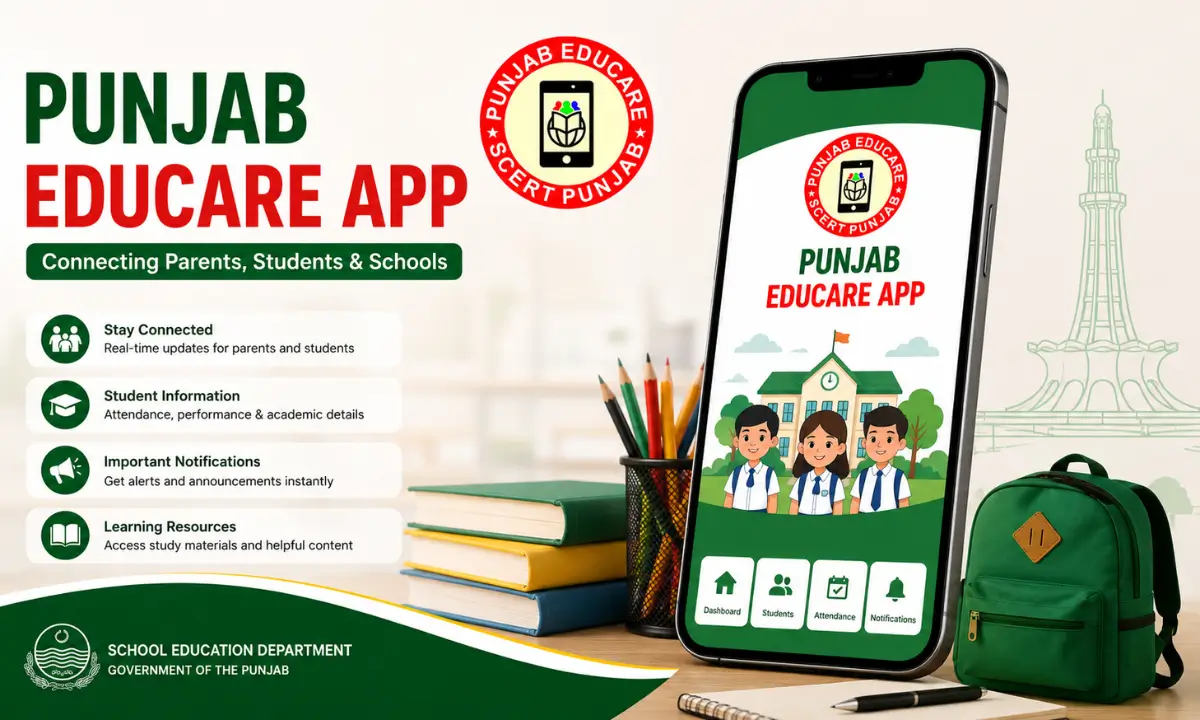
If you’re a student, parent, or teacher connected to a government school in Punjab, chances are someone has already told you to “just get it on Educare.” This article walks through exactly what the Punjab Educare app does, how to download punjab educare apk and open it without running into installation errors, and how to make the most of features like the Teacher Corner and class-specific study material, including for Class 10.
What Is the Punjab Educare App
Punjab Educare is a free, government-backed educational app developed by the Punjab School Education Department. It was rolled out to give students, teachers, and parents in government schools one central place to access e-textbooks, video lessons, worksheets, quizzes, and sample papers, covering everything from Nursery right up to Class 12 (10+2).
The educare app first gained wide adoption during the COVID-19 lockdown, when classrooms went remote and students needed a reliable way to keep up with their syllabus. Since then, it’s grown into a daily-use tool, with content updated regularly by teachers within the department rather than by a third-party publisher. That’s part of why the material stays closely aligned with the PSEB (Punjab School Education Board) curriculum.
The app is organized into sections, most notably the Student Corner, which is split by grade level (including a Primary Wing for younger learners with rhymes, storybooks, and activity modules), and the Teacher Corner, which we’ll cover in more detail below.
How to Download the Punjab Educare App 2026
Downloading it is straightforward, but there are a couple of details worth getting right so you don’t end up with an outdated or unofficial copy.
- Open the Google Play Store Go to the Google Play Store on your Android Phone.
- Search “Punjab Educare” and confirm the listing shows the Punjab School Education Department as the developer.
- Tap Install and wait for the download to finish, the app is a manageable size and shouldn’t take long even on slower connections.
- Prefer an APK file instead? If Play Store access isn’t available on your device, you can download the Punjab Educare app APK from a trusted source. Just make sure you’re grabbing the latest version, since older APKs sometimes miss newer content sections.
- Once installed, grant the permissions it asks for (mainly storage, so you can download study material for offline use).
If your device doesn’t support the app directly say, you’re trying to install it on a PC running it through an Android emulator is the usual workaround, though performance will vary depending on your setup.
How to Open and Set Up the Educare Punjab App
After installation, opening the Punjab Educare app is simple:
- Tap the app icon from your home screen or app drawer.
- On first launch, you’ll typically select your role, student, teacher, or parent, since the content shown adjusts based on this.
- Choose your class/grade so the app can filter study material to the right level, whether that’s primary-level activities or Class 10 board exam prep.
- From there, you land on the main dashboard, where subjects, video lessons, and daily updates are organized by category.
There’s no complicated account creation process for basic access, which is part of why the app has been easy for parents in rural areas to pick up as well. Also check: The Puja App & Sampark Apk.
Using the Teacher Corner
The Teacher Corner is one of the most useful parts of the app if you’re an educator. It’s built around three main ideas:
- Ready-made lesson plans aligned with the PSEB curriculum, which cut down prep time considerably.
- Classroom resources and training material, including guidance for early-years teaching.
- A way to contribute back: teachers can submit content, questions, or suggestions that feed into future updates, which is part of why the app’s material stays practical rather than purely theoretical.
If you’re a teacher managing a Nursery-to-5 classroom, you’ll find the Primary Wing tools especially handy for structuring lessons without starting from scratch every week.
Punjab Educare App for Class 10 Students
Class 10 is one of the most searched-for sections simply because it’s a board exam year. Inside the Student Corner, Class 10 material typically includes subject-wise e-textbooks, video explanations for tricky topics, worksheets, and sample papers modeled on the board exam format.
Since content is refreshed regularly by teachers, students get updated practice material rather than a static, once-a-year upload, which matters a lot when exam patterns shift slightly from year to year.
If you’re a parent trying to keep track of what your Class 10 child should be covering, the app doubles as a way to stay in the loop without having to constantly check in with the school.
Key Features
Student Corner
Organized by grade level, from a Primary Wing for LKG to Class 5 (rhymes, storybooks, flashcards, activity modules) up through subject-wise resources for Class 6-12, so students only see material relevant to their level.
Teacher Corner
Gives educators ready-made lesson plans aligned with the PSEB curriculum, classroom resources, and training material, plus the ability to submit content and questions that feed into future updates.
E-Textbooks and Video Lessons
Subject-wise digital textbooks paired with video explanations, useful for topics that are easier to grasp visually, especially science, maths, and language subjects.
Daily Content Updates
Study material is refreshed on a rolling basis by teachers within the department, rather than uploaded once and left static, so students and teachers get current worksheets, sample papers, and resources throughout the year.
Quizzes and Worksheets
Interactive quizzes and downloadable worksheets let students practice topics and self-assess, with sample papers modeled on board exam formats for higher grades.
Multilingual Certificates
Students can generate certificates for quiz performance and academic achievements in English, Punjabi, and Hindi.
Offline Access
Study material can be downloaded and saved for offline use, which matters for students in areas with unreliable internet connectivity.
Parent Visibility
Parents can use the app to see what their child is currently studying, helping them stay informed without needing constant updates from the school.
Tips and Best Practices
- Download material for offline use ahead of time if you’re in an area with patchy internet, this avoids mid-lesson buffering.
- Check for updates weekly. Since teachers add content on a rolling basis, checking in regularly means you won’t miss newly added worksheets or sample papers.
- Use the certificate feature if you’re a student completing quizzes, certificates are available in English, Punjabi, and Hindi, which is a nice touch for recognizing achievement in a way that fits the local context.
- Stick to official sources when downloading the APK, since unofficial mirrors are more likely to be outdated or missing security patches.
- If you’re new to installing educational or utility apps generally, it’s worth brushing up on safe APK practices, something we cover in more depth elsewhere on the site.
Final Thoughts
The Punjab Educare app has become a genuinely practical tool for government-school families across Punjab, not because it’s flashy, but because it solves a real access problem for study material. Whether you’re downloading it for the first time, setting up the Teacher Corner, or hunting for Class 10 prep resources, the process above should get you up and running in a few minutes. If you’re exploring more government or education-focused apps, browse our other app guides on Jzaas for similar step-by-step walkthroughs.
Frequently Asked Questions

Josh is a technology writer and app enthusiast who specializes in Android apps, mobile games, APK downloads, and digital tools. He enjoys testing new applications, exploring game features, and creating easy-to-follow guides that help readers install, use, and troubleshoot apps with confidence.