
Aswaas App Download APK v5.38 for Android (Login Portal)
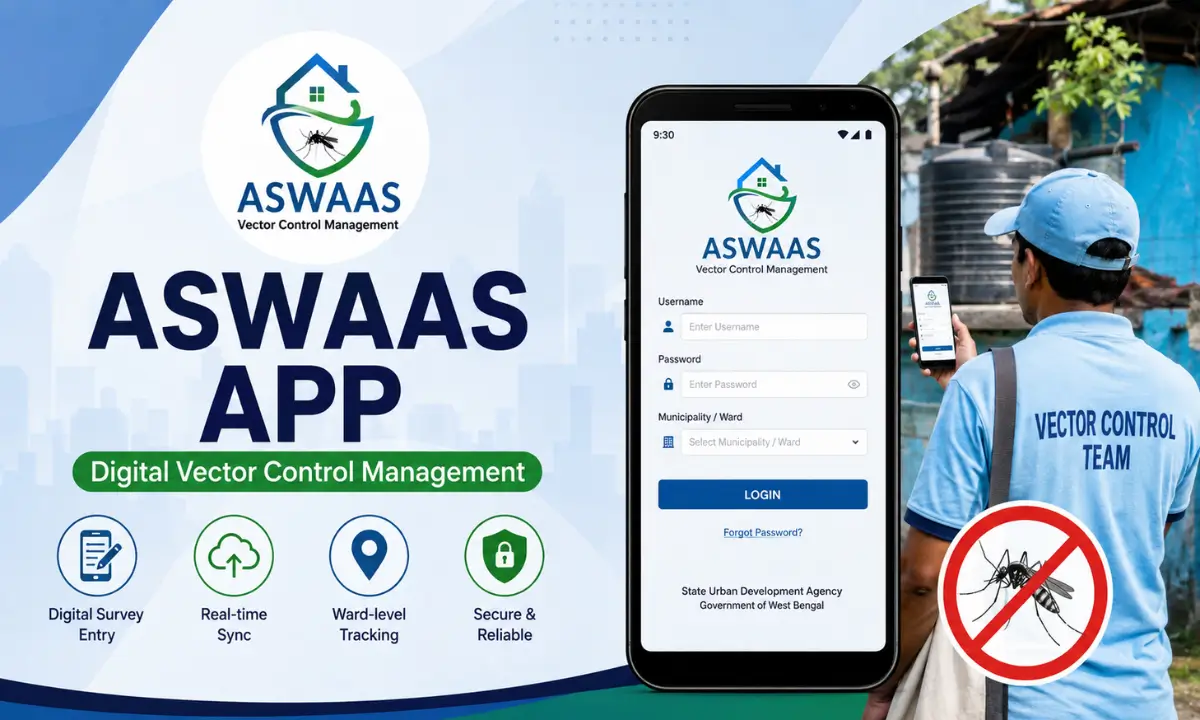
Aswaas app is a government-built Android application that digitizes vector control activities for the State Urban Development Agency under the Department of Urbanization and Municipal Affairs, Government of West Bengal. Field teams use the aswaas app to upload survey data, track house-to-house inspections, and report mosquito-borne disease control work directly from a mobile device instead of relying on paper registers.
For municipal staff, ward-level supervisors, and health workers across West Bengal, this aswaas in app has become the standard tool for recording and syncing vector surveillance data with the state’s central monitoring system.
This guide covers everything related to this app, including download process, & login steps, password recovery, the aswaas web app and aswaas in portal access in just few clicks. Also check: Easy Gallery Photo Editor App & BLO APP Download.
What Is Aswaas App Used For
Vector control refers to activities aimed at reducing mosquito breeding sites and monitoring diseases like dengue, malaria, and chikungunya. Before digital tools existed, field workers recorded survey findings on paper, which created delays and made it hard for authorities to track real-time data across wards and municipalities.
Aswaas app solves this by giving every level of the vector control chain, from state authorities to house-to-house survey teams, a shared digital system. Field staff log inspection results, larval source findings, and household survey data directly into the app. This data syncs with the aswaas web app and central portal, giving supervisors and district officials an accurate, real-time view of ongoing vector control efforts across West Bengal.
Aswaas App Download
This app is available through the Google Play Store under the developer name State Urban Development Agency, with the package identifier os.com.aswaas. The Android app is free, roughly 8 to 9 MB in size, and built for Android 6.0 and above, so it runs smoothly even on entry-level government-issued or personal devices used by field staff.
Steps to download aswaas app:
- Open the Google Play Store on your Android device.
- Type “Aswaas” into the search bar and tap search.
- Confirm the listing shows State Urban Development Agency as the developer.
- Tap Install and wait for the download to finish.
- Once installed, tap Open to launch the app and proceed to login.
Aswaas APK Download Latest Version for Android
You can also download aswaas apk from third party apk website using these simples steps.
- Visit a trusted APK Source
- Search for the Aswaas APK
- Go the page & Download apk file
- From your mobiles settings, allow installation from unknown sources
- Locate the downloaded file and install it
- Now, it is ready to use
Aswaas App Login Process
Once installed, opening the app prompts a login screen tied to a registered user ID issued by the respective municipal or vector control authority. This is not a public consumer app with open self-registration. Login credentials are typically issued by ward-level supervisors or the State Urban Development Agency IT team as part of onboarding new field staff.
Steps for aswaas app login:
- Launch the aswaas app on your device.
- Enter the username issued by your municipal or ward authority.
- Enter your assigned password in the login field.
- Select your designated municipality or ward from the dropdown list.
- Tap Login to access the survey and data entry dashboard.
This ensures survey data gets tagged correctly to the right administrative zone before syncing to the central aswaas portal.
Aswaas Web App and Aswaas in Portal
Beyond the mobile Android application, there is a browser-based aswaas web app and an administrative aswaas in portal used mainly by supervisors, ward officers, and district health authorities. While field staff primarily interact with the mobile app for day-to-day data entry, the web portal is where consolidated data gets reviewed, verified, and analyzed at a higher administrative level.
The aswaas in portal typically allows authorized users to view survey completion rates by ward, monitor larval source reduction trends, generate reports for municipal health departments, and cross-check field data against previous survey cycles.
This two-layer system, mobile app for collection and web portal for oversight, is what makes Aswaas function as a complete digital vector control ecosystem rather than a standalone data-entry tool.
Key Features of Aswaas App
| Feature | Description |
|---|---|
| Digital survey entry | Field teams log house-to-house inspection data directly on mobile |
| Real-time sync | Data uploads to the central portal without manual consolidation |
| Ward-level tagging | Every entry is linked to a specific municipality and ward |
| Role-based access | Field staff, supervisors, and administrators see different data views |
| Offline capability | Entries can often be saved locally and synced once connectivity returns |
| Lightweight app size | Around 8 MB, suitable for low-storage or budget Android devices |
Aswaas App Org and Developer Information
The aswaas is officially developed and maintained by the State Urban Development Agency, functioning under the Department of Urbanization and Municipal Affairs, Government of West Bengal. This is a government-backed application rather than a private or commercial developer project, which is worth noting for anyone verifying the app’s legitimacy before installing it or granting login access.
Is Aswaas Apk Safe to Use
Since Aswaas handles field survey data tied to public health monitoring, security and data integrity matter. The app is safe when downloaded through the official Google Play Store listing under the State Urban Development Agency developer profile.
Users should avoid installing APK versions from unverified third-party sites, since these can be repackaged with malicious code or outdated permissions that compromise both the device and the survey data being submitted. Also visit Vikas Edit
Conclusion
Aswaas app has streamlined how West Bengal’s vector control teams collect, submit, and monitor field survey data, replacing slow paper-based reporting with a fast, connected digital system.
From the initial download to daily login use, and from the mobile interface to the aswaas web app and aswaas in portal, the entire ecosystem is built to keep every level of the vector control chain, field workers, supervisors, and district authorities, working from the same accurate, real-time data.
For anyone involved in West Bengal’s municipal health and vector surveillance efforts, understanding how to properly install, log in, and navigate the app is essential to keeping public health monitoring efficient and accountable.
Frequently Asked Questions

Abhishek Sharma is a technology enthusiast and experienced content writer with a strong interest in mobile apps, games, software, and the latest developments in the digital world. He enjoys exploring new applications and gaming platforms, testing their features, and sharing useful information in a simple and easy-to-understand way.