
Hamraaz App – Download Latest v7.02, Login & Payslip
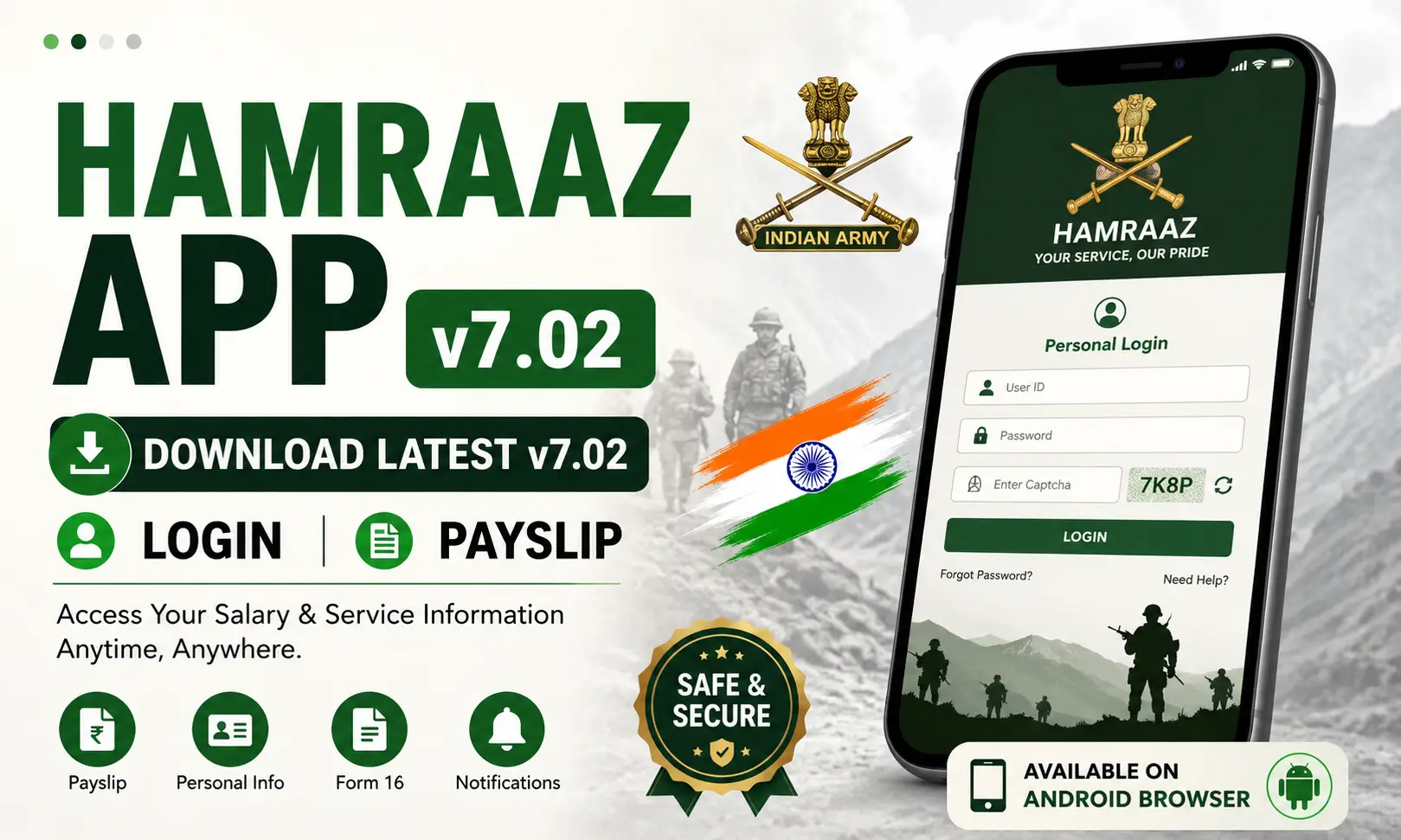
If you are an Indian Army personnel, the Hamraaz App can help you access important salary and service-related information. The platform was created to make several routine services easier to access online.
Many users still search for the Hamraaz mobile application because it was once a convenient way to check payslips, Form 16, personal details, and other records.
Today, eligible personnel can access available Hamraaz services through the web portal. This guide explains what the platform does, how to access it, where the Hamraaz App Download searches can become confusing, and how to check your personal payslip.
What Is Hamraaz App?
The Hamraaz App was a digital service designed for serving Indian Army personnel. It provided access to personal, salary, and service-related information from a single platform.
The mobile application is no longer the current way to access these services. Instead, eligible users can use the Hamraaz web portal through a browser.
The platform can provide several useful facilities, including:
- Monthly payslip and Form 16
- Personal profile information
- Part II Order details
- Family information
- Leave-related details
- Fund subscription and withdrawal information
- PPO information
- AGI claim details
- Service voter information
- Notifications and inbox
- Grievance services
- Feedback and suggestions
These features can save time because users can access important records digitally instead of depending only on physical documents.
Key Features of Hamraaz App
The main purpose of Hamraaz is to provide eligible personnel with convenient access to their service and salary information.
Payslip and Form 16
One of the most useful facilities is the ability to access salary-related documents. Eligible users can check available monthly payslips and Form 16 through their personal account.
Personal Information
The platform can provide access to personal and service information linked to an eligible user’s account.
Service Details
Users may also find information related to Part II Orders, leave, funds, PPO, AGI claims, and other administrative services.
Online Grievance Services
The system can also help users access grievance-related facilities and submit or track relevant information where available.
Notifications
Important messages and updates can be available through the notification or inbox section of the account.
How to downlaod and install this app
Download Hamraaz App
You can access Hamraaz services from your Android phone without downloading an unofficial APK. Open the web portal in your browser and follow these steps:
- Open Chrome on your Android phone.
- Visit the authorized Hamraaz Web portal.
- Select Personal Login.
- Enter your User ID and password.
- Complete the captcha.
- Sign in to access available services.
Install Hamraaz App
The old mobile app is no longer the current access method, so you should avoid APK files from unknown websites. You can use Hamraaz Web directly from your browser:
- Open the Hamraaz Web portal.
- Log in with your personal account.
- Use services such as payslip and Form 16.
- Save the portal as a browser bookmark for quick access.
If you are interested in useful government and education-related applications, you can also read our Prashast App guide to learn about its features, download process, and usage.
How to Access Hamraaz App Login
The Hamraaz App Login search is still popular because many users remember accessing their account through the mobile application.
The current process is web-based. You can use a browser on your phone or computer to reach the authorized Hamraaz portal.
Follow these general steps:
- Open a secure browser on your device.
- Visit the authorized Hamraaz web portal.
- Select the Personal Login option.
- Enter your User ID and password.
- Complete the captcha or verification shown on the page.
- Submit your details.
- After successful verification, open the service you need.
Make sure your login details are correct before submitting the form. Never share your password with another person.
Hamraaz App Personal Login Payslip
The Hamraaz App Personal Login Payslip facility is one of the main reasons eligible personnel access the platform.
After signing into your personal account, you can look for the PaySlip/Form 16 section. The available records can then be viewed according to the options provided in your account.
A payslip may contain information about your salary, allowances, deductions, and net amount. Because this is sensitive financial information, keep the document private.
You do not need an unofficial APK to access this service. The web-based platform can be used for available personal services.
Hamraaz Registration and Account Setup
Eligible users can register and set up their account through the official portal.
- Open the authorized Hamraaz portal
- Click on the Registration / Sign Up option
- Enter your required personal details carefully
- Complete the verification process if prompted
- Ensure your details match official service records
- Avoid unofficial websites or APK-based registration links
How to Use Hamraaz App Services
Although the mobile application is no longer the current method, you can still use the available Hamraaz services through the web portal.
Start by signing in to your personal account. After login, check the dashboard and select the service you need.
For example, if you want your salary document, open the PaySlip/Form 16 section. If you need personal or service information, look for the relevant option in the dashboard.
Always use the service that matches your requirement instead of downloading an APK from another website.
Tips for Safe Hamraaz Access
Because your account can contain salary and service information, it is important to protect your details.
Use these simple safety tips:
- Access Hamraaz through the authorized web service.
- Avoid unknown APK files.
- Never share your password.
- Do not enter personal details into suspicious apps.
- Avoid links from unknown social media accounts.
- Keep your browser and device updated.
- Log out when using a shared computer.
- Store downloaded payslips securely.
- Do not post your salary documents publicly.
A website offering a “newest” APK does not automatically mean that the file is official. Always verify the source before downloading anything.
Conclusion
The Hamraaz App was created to make salary and service information easier for eligible Indian Army personnel to access. Although the original mobile application was discontinued, the available services can still be accessed through the web-based platform.

Josh is a technology writer and app enthusiast who specializes in Android apps, mobile games, APK downloads, and digital tools. He enjoys testing new applications, exploring game features, and creating easy-to-follow guides that help readers install, use, and troubleshoot apps with confidence.