
Transparent Live Wallpaper APK Download for Android 2026
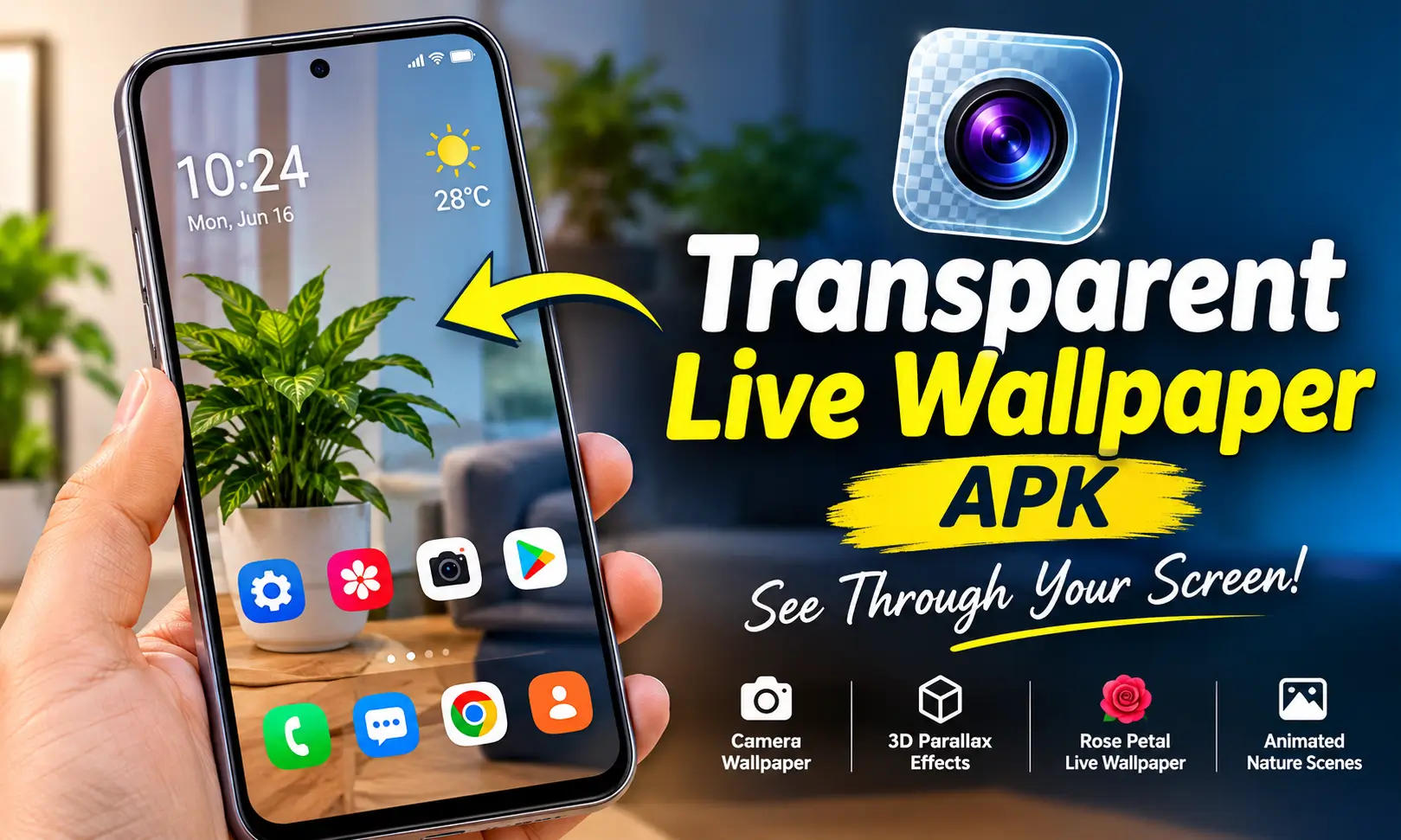
A regular wallpaper gives your phone a fixed background, but a transparent live wallpaper takes customization a step further. It uses your phone’s camera to create a see-through effect, making your home screen appear as if it is showing the surroundings behind your device. Icons, widgets, and apps remain visible while the camera view works as the background.
Transparent Live Wallpaper APK is an Android personalization app designed for users who want something different from traditional static wallpapers. Along with the transparent camera effect, it offers several other customization options, including 3D parallax wallpapers, animated nature scenes, rose petal effects, and mirror backgrounds.
Whether you want a transparent home screen, a moving wallpaper, or a more personalized lock screen for Android, this app provides different ways to change your phone’s appearance. Also check: Depth Wallpapers Live Clock APK & Mico Live Wallpaper for more live wallpapers apps.
What Is Transparent Live Wallpaper APK?
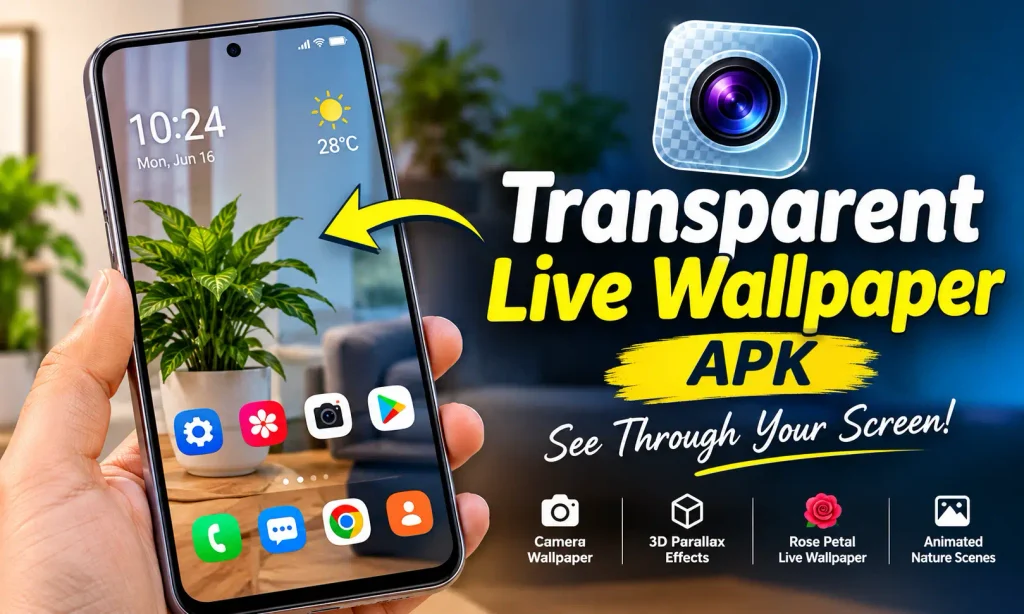
Transparent Live Wallpaper APK is an Android application that uses the device’s camera to display a live view of the surroundings as the phone’s wallpaper. Instead of showing a downloaded image, it places the camera feed behind your home screen icons, creating the appearance of a transparent display.
The application is developed by Rambabu Mareedu and uses the package name com.ram.transparentlivewallpaper.
One of its main attractions is that you can activate the transparent effect with just a few taps. You do not need to manually create a background or download separate images to achieve the see-through appearance. Also visit: YouTube Create APK.
The transparent live wallpaper app includes several wallpaper styles that respond to device movement. This makes it useful for people who enjoy experimenting with different home screen designs. Also check:
Transparent Live Wallpaper APK Information
Here are the main details of the app before installing it on your Android device.
| App Information | Details |
|---|---|
| App Name | Transparent Live Wallpaper |
| Package Name | com.ram.transparentlivewallpaper |
| Developer | Rambabu Mareedu |
| Latest Version | 14.48 |
| File Size | 47.92 MB |
| File Format | XAPK |
| Minimum Android | Android 6.0 |
| Category | Personalization |
| Price | Free |
| Languages | English and 6 more |
| Permissions | 19 |
| Contains Ads | Yes |
Main Features of Transparent Wallpaper Live APK
The application offers more than a simple transparent screen. Its different wallpaper effects allow you to change the appearance of your device without relying on the same background every day.
1. Transparent Camera Wallpaper
The transparent camera wallpaper is the main reason many users install this application. It uses your phone’s camera to display a live view of the surroundings behind your app icons.
Once activated, your home screen looks like a transparent glass surface. You can still access your applications, widgets, and other home screen elements while the camera feed remains visible in the background.
This effect is particularly interesting when you want to give your phone a different appearance or show off a customized home screen.
2. Front and Rear Camera Support
The transparent live wallpaper 4K app supports camera-based wallpaper effects using the front or rear camera options.
The rear camera is useful when you want your wallpaper to show the environment in front of your phone. The front camera provides another way to experiment with the transparent appearance.
You can choose the option that works best for your preferred screen design and device setup.
3. 3D Parallax Wallpapers
If you prefer animated backgrounds over camera transparency, the application also provides 3D parallax effects.
These wallpapers respond to the movement and orientation of your phone. When you tilt or move the device, the background shifts slightly, creating an impression of depth.
The rotation vector sensor helps the wallpaper respond to device movement. This small animation makes the home screen feel more dynamic than a standard picture.
4. Rose Petal Live Wallpaper
The rose petal wallpaper for android offers a softer and more decorative appearance. It adds animated floral elements to your screen, making it a suitable choice for users who enjoy nature-inspired backgrounds.
You can use this effect when you want something visually different without keeping the camera transparency active.
5. Mirror Live Wallpaper
Another interesting option is the mirror effect. It uses camera functionality to create a mirror-like experience on your device.
This provides an alternative to the transparent screen and gives users another way to experiment with camera-based personalization.
6. Animated Nature Wallpapers
The Transparent wallpaper also includes animated nature scenes that provide a more traditional live wallpaper experience.
Instead of displaying your surroundings through the camera, these backgrounds introduce animated visual elements to your screen.
You can switch between available wallpaper styles whenever you want to refresh your phone’s appearance.
7. Home Screen and Lock Screen Customization
Transparent Live Wallpaper APK supports wallpaper customization for the home screen and lock screen.
You can choose where to apply the selected wallpaper. The transparent effect is especially noticeable on the home screen because your application icons remain visible over the camera background.
8. Easy Wallpaper Switching
You do not have to keep the transparent effect permanently. The application allows you to switch between its available wallpaper styles and return to a regular background when needed.
This is useful if you enjoy trying different appearances throughout the day.
How to Download Transparent Live Wallpaper APK for Android
Follow these steps to install it:
- Download the Transparent Live Wallpaper APK file to your Android phone.
- Open your device’s file manager and locate the downloaded file.
- If Android blocks the installation, allow your browser or file manager to install apps from that source.
- Open the installer and follow the instructions.
- Once installation is complete, launch the application.
- Allow camera access when you want to use the transparent or mirror effects.
- Explore the wallpaper options and select your preferred design.
How to Set Transparent Live Wallpaper on Your Phone
After installing the application, you can activate the transparent effect through its wallpaper settings.
Method 1: Using the Application
- Open Transparent Live Wallpaper on your phone.
- Find and select the transparent wallpaper option.
- Grant the required camera permission.
- Tap the Install Wallpaper option.
- Select Set Transparent Live Wallpaper.
- Choose whether to apply it to the home screen or lock screen.
Your phone will display the camera view as its wallpaper.
Method 2: Using Android Wallpaper Settings
You can also access live wallpapers through your phone’s home screen settings.
- Press and hold an empty area of your home screen.
- Open Wallpaper or Wallpaper & Style.
- Select the Live Wallpapers section.
- Find Transparent Live Wallpaper.
- Preview the effect and apply it.
Transparent Live Wallpaper APK Mod: What Does It Offer?
Transparent live wallpaper apk mod provides additional customization options or an experience without advertisements.
Modified versions unlock premium wallpaper collections, remove ads, or provide extra customization features.
It is also important to understand that a modified installation file is not the same as the original developer release. Its permissions, behavior, and included features have been changed.
For a more predictable experience, the original application is the better choice. Avoid assuming that every version described as premium unlocked includes genuinely additional features.
Does Transparent Live Wallpaper Use Battery and Camera?
Because the application uses live camera footage for its transparent effect, battery consumption is worth considering.
Unlike a static wallpaper, the transparent background requires the camera to remain active while the effect is running. This can consume more power than an ordinary background image.
Battery usage vary depending on your device, camera hardware, screen brightness, and how frequently you keep the transparent effect active.
If you notice increased battery consumption, switching to a regular or animated wallpaper is a practical alternative.
The camera is primarily required for the transparent and mirror effects. Other wallpaper styles do not need the same live camera functionality.
Transparent Live Wallpaper Permissions and Privacy
The application requires certain Android permissions to provide its features. Here are some of the important permissions and their purposes:
| Permission | Purpose |
|---|---|
| Camera | Displays the live camera background and mirror effect |
| Set Wallpaper | Applies the selected wallpaper |
| Internet | For better results |
| Network State | Checks network connectivity |
Transparent Wallpaper 4K: Does This App Support It?
Transparent wallpaper 4K is popular among people looking for sharp, high-resolution mobile backgrounds.
However, the camera transparency effect and a 4K wallpaper image are two different things. Transparent Live Wallpaper uses your device’s camera to create its main visual effect. The final appearance of the camera background depends on your phone’s camera quality and display resolution.
Can You Use Transparent Wallpaper for PC?
Transparent Live Wallpaper is designed for Android devices, so it does not have a confirmed native Windows or macOS version.
However, you can experiment with running the Android application on a computer through an Android emulator.
An emulator creates an Android environment on your PC, allowing you to install Android applications. You need to configure camera access if you want to use the transparent effect.
Final Words
Transparent Live Wallpaper APK offers a different way to personalize an Android home screen. Its camera-based transparent effect creates an unusual see-through appearance, while parallax backgrounds, mirror effects, and animated nature scenes provide additional customization choices.
If you enjoy trying new wallpaper styles and want something beyond ordinary static backgrounds, this transparent live wallpaper app is worth exploring.
Frequently Asked Questions
Abhishek Sharma is a technology enthusiast and experienced content writer with a strong interest in mobile apps, games, software, and the latest developments in the digital world. He enjoys exploring new applications and gaming platforms, testing their features, and sharing useful information in a simple and easy-to-understand way.